
You’re not here for theory. You want to know if AI automations are worth the monthly spend—and what the *real* numbers look like. Whether you’re running a lean startup or scaling your solo hustle, every dollar counts. Let’s break down the exact costs, show where hidden fees lurk, and help you decide if automation is your next smart investment.
What Does “running Ai Automations” Actually Mean?
AI automation costs per month are the total expenses for using, maintaining, and scaling artificial intelligence tools to automate business tasks. This includes software fees, hardware, cloud usage, integrations, and support.
If you’re automating emails, running chatbots, or doing smart scheduling, you’re tapping into the world of AI automations. But not all tools are equal—and neither are their price tags. For example, basic email automation might only require a simple SaaS subscription, while advanced chatbot automation could need ongoing API calls and custom integrations. Some business owners use AI to automate invoices, social media posts, or even market research, further widening the range of possibilities and costs.
The Real Monthly Cost Breakdown
Here’s what you’re *actually* paying for when you automate with AI:
- Software subscription: SaaS tools, APIs, chatbots, workflow engines. Most platforms charge a monthly fee, but some also have setup costs. For instance, workflow automation tools like Make.com or Zapier are usually billed monthly.
- Cloud usage: Processing, storage, bandwidth. If your AI runs on cloud platforms, charges can be based on how many requests you make or how much data you store.
- Hardware: Local servers, GPUs (for advanced users). While most solo founders stick with cloud services, some tasks like deep learning require special hardware.
- Integration and add-ons: Zapier, API connectors, custom scripts. Connecting your business tools usually means extra fees, especially for premium connectors or custom setups.
- Support, maintenance, and updates: Troubleshooting, platform fees. Many providers offer basic support for free, but premium or priority support costs extra.
Typical Ai Automation Cost Ranges
Most solo founders spend between $50 and $1,500/month on AI automations. Why the wide range? It depends on:
- Task complexity (simple vs. advanced): Automating basic tasks (like scheduling) is cheaper than automating complex tasks (like natural language processing).
- Volume (number of automations, users): The more you automate, the more resources you need.
- Custom vs. off-the-shelf solutions: Custom-built solutions are usually more expensive due to development and maintenance.
Let’s get specific.
| Automation Type | Monthly Cost (Solo) | Monthly Cost (Small Team) |
|---|---|---|
| Email workflow | $50 – $150 | $100 – $350 |
| AI Chatbot | $70 – $400 | $150 – $1,000 |
| Lead scoring/CRM | $120 – $350 | $250 – $700 |
| Custom API automations | $100 – $900 | $200 – $2,000 |
Costs can grow quickly if you add more features or users. For example, an AI chatbot for a solo founder may cost $70/month, but if you need multilingual support or integrate with multiple platforms, you could pay $400/month or more.
Always check the fine print—some tools charge extra for advanced analytics, reporting, or workflow complexity.
What Factors Drive Up Ai Automation Costs?
1. Volume And Usage
The more you automate (emails sent, chat responses, tasks processed), the higher your bill. Most AI services use tiered pricing—you pay more for more usage.
- Example: Zapier’s free plan caps at 100 tasks/month. Upgrading to 2,000 tasks costs $20/mo. Power users pay $70+ for 10,000+ tasks. If you run a popular service or expect your business to scale quickly, this can have a major impact on your bottom line.
Volume is not just about the number of automated tasks. Some platforms count every API call or message processed. If you automate social media posting, every post could count as a task, adding up quickly. Beginners often underestimate their usage, leading to surprise bills.
2. Ai Processing Power
Heavy-duty tasks like image recognition, natural language processing, or data crunching require more compute resources. Cloud providers (AWS, Google Cloud, Azure) charge per hour for GPU or CPU use.
| Provider | Monthly GPU Cost (Basic) | Monthly GPU Cost (Advanced) |
|---|---|---|
| AWS | $40 | $400+ |
| Google Cloud | $35 | $350+ |
| Azure | $38 | $420+ |
If your business only needs lightweight automation (like text-based chatbots), you can often avoid high processing fees. But image analysis, voice recognition, or large-scale data mining can push your monthly bill far above average.
3. Integrations And Customization
Most solo founders start with off-the-shelf tools. But as you grow, you’ll need custom integrations (connecting your CRM, website, payment tools). These cost extra—sometimes a lot.
- Zapier Premium: $50/month for advanced integrations.
- Custom API development: $500+ one-time, plus hosting.
For example, connecting a payment processor to your CRM with a custom API can require upfront development and ongoing hosting fees. Many founders forget to budget for integration maintenance, which can lead to hidden costs later.
4. Support And Maintenance
Don’t forget ongoing support. Some platforms charge extra for priority support or regular maintenance. If you run your own server, expect monthly costs for updates and troubleshooting.
- Managed hosting: $10–$100/month
- Priority support: $20–$100/month
If your automations are mission-critical (like customer support chatbots), you may need faster response times. Paying for premium support can help, but adds to your monthly spend. Also, updates and bug fixes may require hiring freelancers or consultants, especially if you have custom integrations.
Hidden Costs Most Founders Miss
Here are two expenses that catch most beginners off guard:
- Data storage fees: Storing chatbot logs, user data, or training datasets isn’t free. Cloud storage can add $5–$50/month depending on volume. If your automation collects lots of data (for example, customer support logs), costs can rise quickly.
- API call overages: Most platforms cap free API calls. Exceeding limits means surprise charges—sometimes doubling your bill. If your automations suddenly become popular, API costs can spike without warning.
Pro tip: Always check for overage fees and hidden storage costs before scaling automations. Review your provider’s pricing page regularly, and set up alerts to monitor usage.
Comparing Popular Ai Automation Platforms
Let’s look at how leading tools stack up on features and price.
| Platform | Starter Price | Best For | API Limits | Integration |
|---|---|---|---|---|
| Zapier | $20/mo | No-code workflows | 2,000 tasks | 1,000+ apps |
| OpenAI API | $25/mo | Chatbots, NLP | Depends on tokens | Custom scripts |
| Make.com | $10/mo | Visual automations | 1,000 ops | 900+ apps |
| HubSpot AI | $50/mo | CRM automation | Unlimited (with plan) | CRM, email |
Choosing the right platform depends on your needs. For example, Zapier is easy for non-coders, while OpenAI API gives more power for chatbots and language tools but requires some technical knowledge. Make. com is great for visual drag-and-drop workflow building, while HubSpot AI targets CRM and sales automation.
Solo Operator Leverage: How Ai Automation Multiplies Your Output
Here’s the reality: AI automations let solo founders run operations like a 5-person team. You save hours, avoid manual errors, and focus on growth.
Automated scheduling, email follow-ups, and lead scoring mean you spend less time doing repetitive work and more time building your business. For example, one founder reported handling customer onboarding for 100 users monthly without hiring extra staff, simply by automating email sequences and support workflows.
Real-world Roi: Case Study
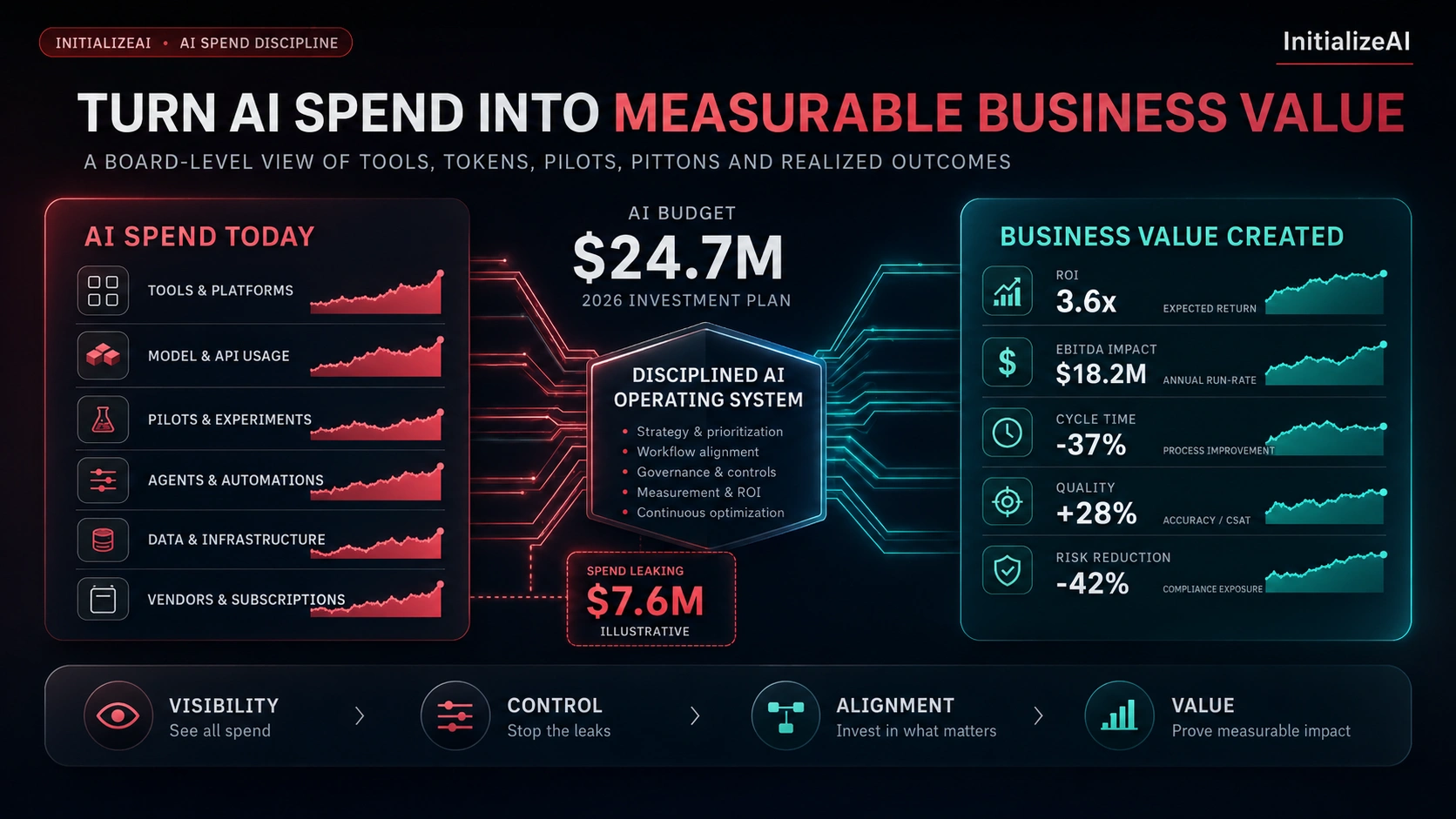
A solo SaaS founder automates onboarding emails, lead scoring, and support chat. Total monthly spend: $200. Saved hours: 35/month. Estimated labor value: $1,200. Net ROI? 6x.
Key insight: If your automations save you more than they cost (in time or money), they’re paying for themselves. Even simple automations can create big leverage—think about tasks you do daily or weekly that can be handed off to AI.
When Automation Doesn’t Pay Off
- If you automate low-value tasks (like sending one email a month), costs outweigh benefits.
- Over-customizing (building expensive integrations for trivial jobs) can kill your ROI.
A practical way to decide is to estimate how much time you spend on a task, then compare the cost of automating it. If automating takes more money than it saves in time or errors, reconsider.
Credit: saharaai.com
How To Estimate Your Monthly Ai Automation Costs (step-by-step)
- List every process you want to automate (emails, support, scheduling, lead scoring).
- Choose tools for each task (Zapier, OpenAI, HubSpot).
- Estimate usage volume (tasks, API calls, storage). Try to count how many actions happen each month.
- Check pricing tiers for each tool. Look for free plans, starter tiers, and what’s included.
- Add integration, storage, and support fees. Don’t forget backup or premium support costs.
- Multiply by 12 for annual planning. This helps you see the bigger picture and plan for growth.
Example:
- Automate email workflows (Zapier): $20/mo
- Support chatbot (OpenAI): $25/mo
- CRM integration: $50/mo
- Storage: $10/mo
Total: $105/mo
If you expect your business to grow, factor in higher tiers and overage fees. Plan for future needs so you’re not surprised by sudden cost jumps.
Pros And Cons Of Ai Automations For Solo Operators
| Pros | Cons |
|---|---|
|
|
Another advantage is flexibility. With AI automations, you can quickly test new workflows or business ideas without hiring. On the downside, setup can take time—learning the platform, troubleshooting errors, and making sure your automations run reliably.
Credit: softco.com
Common Mistakes To Avoid
- Ignoring usage limits: Always check task/API limits before automating. If you underestimate, you may pay overage fees.
- Overbuying features: Don’t pay for enterprise plans if you only need basic automation. Start with what you need, then upgrade.
- Skipping backups: If your automations handle critical business data, always back it up. Losing data can cost more than any automation fee.
- Not tracking ROI: Set up simple tracking to measure time/money saved. Without measurement, you can’t know if automations are worth it.
Another mistake: Not updating automations as your business changes. If your workflows change, review your automations to keep them relevant.
How To Keep Costs Low And Output High
- Start with free tiers and upgrade only as needed.
- Automate high-value tasks first (onboarding, lead scoring).
- Use platforms with transparent pricing and good support.
- Regularly review your usage and downgrade unused services.
Non-obvious insight: Many founders forget to turn off unused automations. This can double your bill without you noticing. Audit your automations monthly.
Another tip: Look for bundled plans or discounts. Some platforms offer reduced rates if you commit annually or combine services. Also, negotiate with providers if your usage grows—they sometimes offer custom pricing.
Credit: initializeai.com
Technical Accuracy: What You Really Need To Know
- For most solo founders, you don’t need fancy GPUs or expensive servers. Cloud-based SaaS tools are enough.
- If you build custom AI (like training your own models), hardware costs can jump to $300–$1,000/month.
- Data privacy matters. Choose platforms with strong security, especially if handling customer data.
If your automations collect personal information, look for providers with GDPR or SOC2 compliance. This protects your business and builds trust with customers.
Where To Find Accurate Pricing And Compare Platforms
Always use official pricing calculators and user reviews. For detailed cost breakdowns and comparisons, check sites like G2.com.
Reading real user experiences can help you spot hidden costs and find platforms that fit your needs.
Actionable Takeaway
If you’re a solo operator, aim to keep your AI automation spend under $300/month unless you’re scaling fast. Track your ROI, audit automations monthly, and upgrade only when output demands it. Smart automation is about leverage—not just tech.
Frequently Asked Questions
How Much Does Ai Automation Actually Save Me Per Month?
Most solo founders report saving 20–40 hours/month with basic automations. If your hourly rate is $40, that’s $800–$1,600 in value. For advanced tasks, savings can go even higher, especially if automation replaces specialized labor.
Can I Run Powerful Ai Automations With Just Free Plans?
Yes, but with limits. Free tiers (Zapier, Make. com) cover light tasks. For scaling, you’ll need paid plans for higher API limits and advanced features. Some platforms offer trials, so test before committing.
What’s The Biggest Hidden Cost In Ai Automation?
API overages and data storage fees. Always monitor your API usage and check storage pricing before scaling up. Look for usage dashboards and alerts to avoid surprise bills.
Is Custom Ai Hardware Ever Worth It For A Solo Founder?
Rarely. Most solo founders don’t need dedicated GPUs or servers. SaaS tools and cloud APIs cover 95% of use cases. Only consider hardware if you have unique, high-volume AI needs.
How Do I Calculate My Automation Roi?
Track the hours and dollars saved vs. your monthly spend. If automations cost $150/month but save $900 in labor, your ROI is 6x. Update your numbers regularly to see if your automations are still paying off.
—
If you want to automate, start small. Watch your numbers. Upgrade as your needs grow. The right AI automations can turn a solo hustle into a scalable business—without breaking the bank.